Color order
Requirements
This section assumes that you have already added colors to your server. If you haven't done so yet, please refer to the Adding Colors section first.
Changing the order of the colors
You can change the order of the colors in your color list by changing the position of the color roles in your server's role settings. The highest color roles will be color number 1, the second-highest color role will be color number 2, and so on.
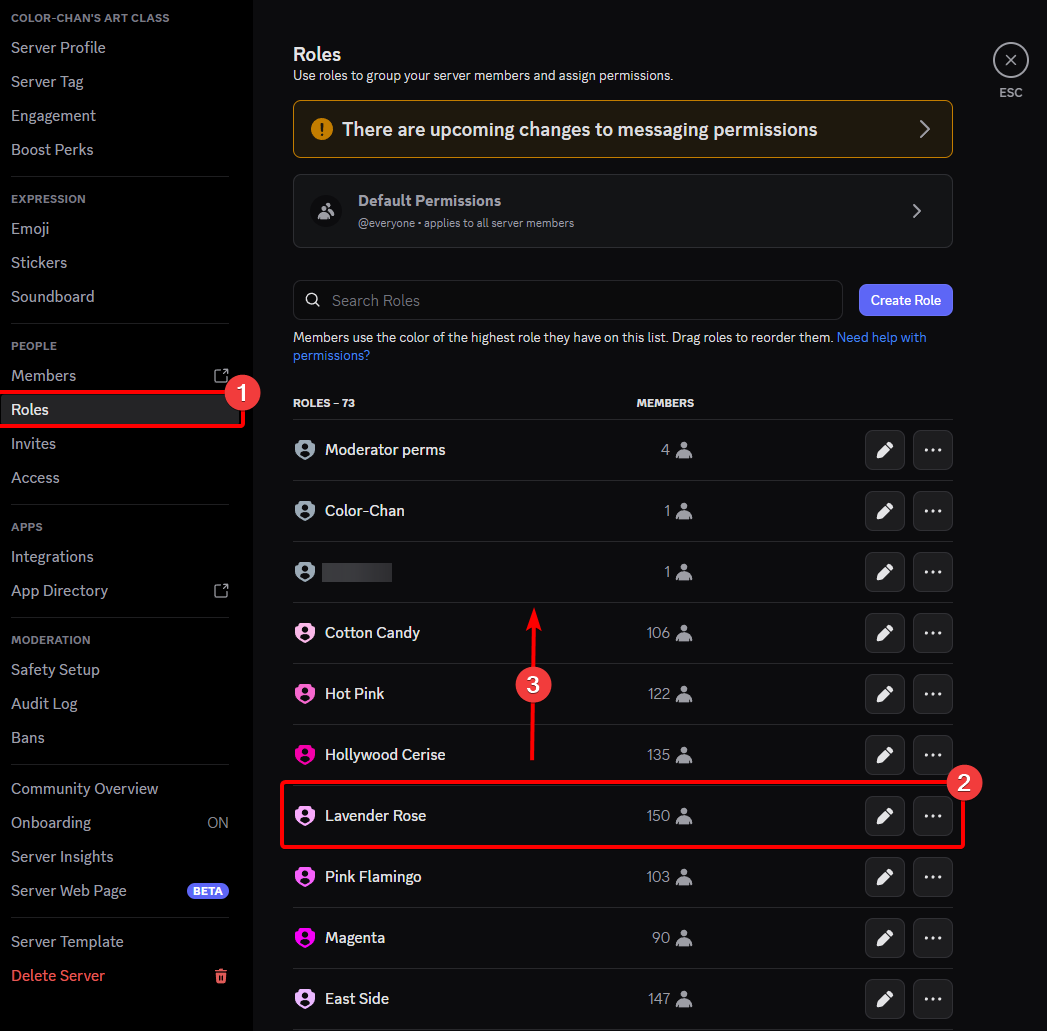
Moving a color role to change its position in the color list
After changing the position of the color roles, you can use the /update color list command to apply the new order to your color list.
You can verify that the order has been updated by using the /color list command.